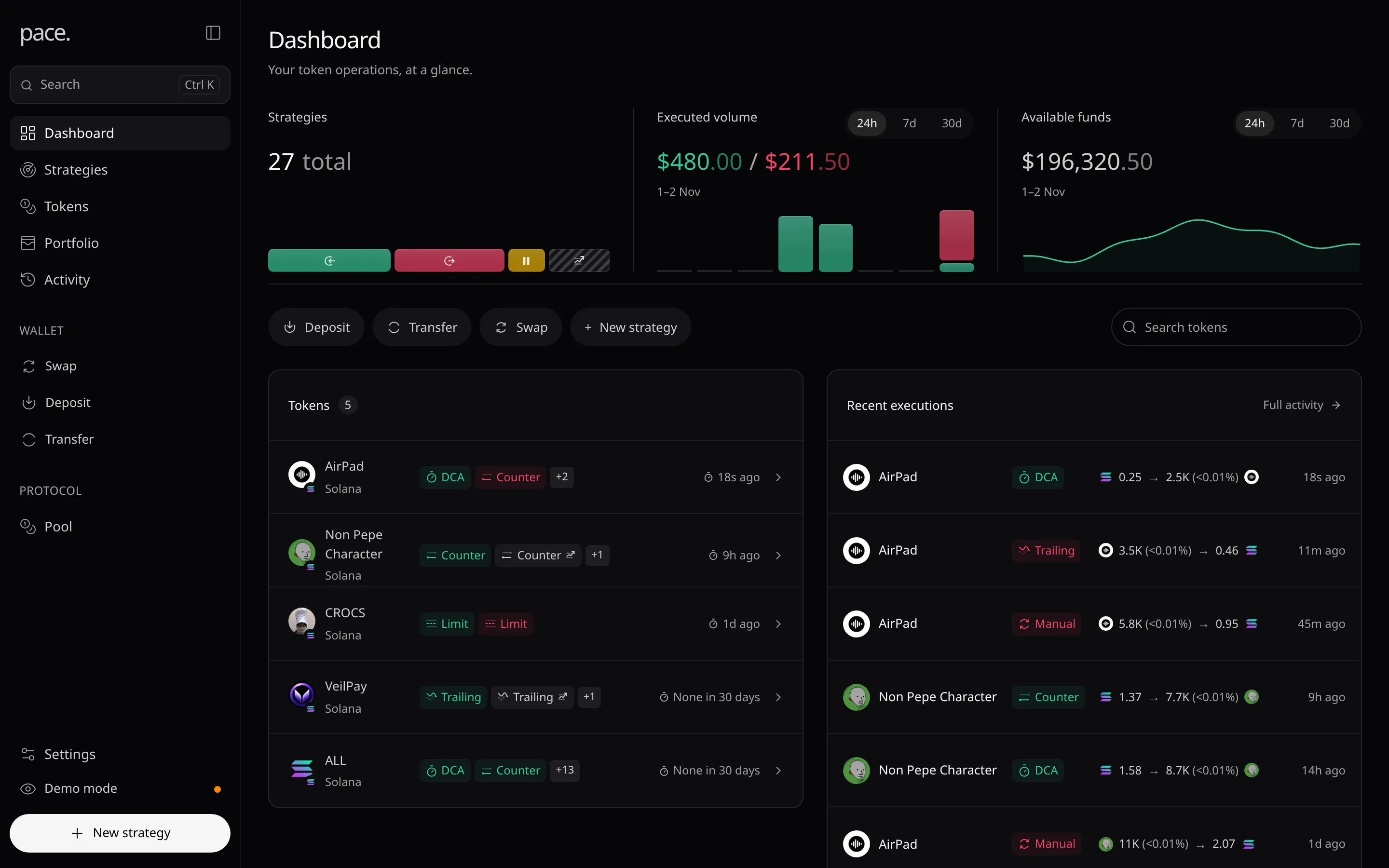
Dashboard
Your token operations at a glance: strategy status, executed volume, funds and what needs attention.
The first page after sign-in: your strategies, volume, funds and latest trades.
Overview cards

- Strategies: your strategies by state. Hover a segment for its count.
- Executed volume: buys and sells actually executed over 24h, 7d or 30d.
- Available funds: your current balance. · partial means some figures are missing.
Tokens and recent executions
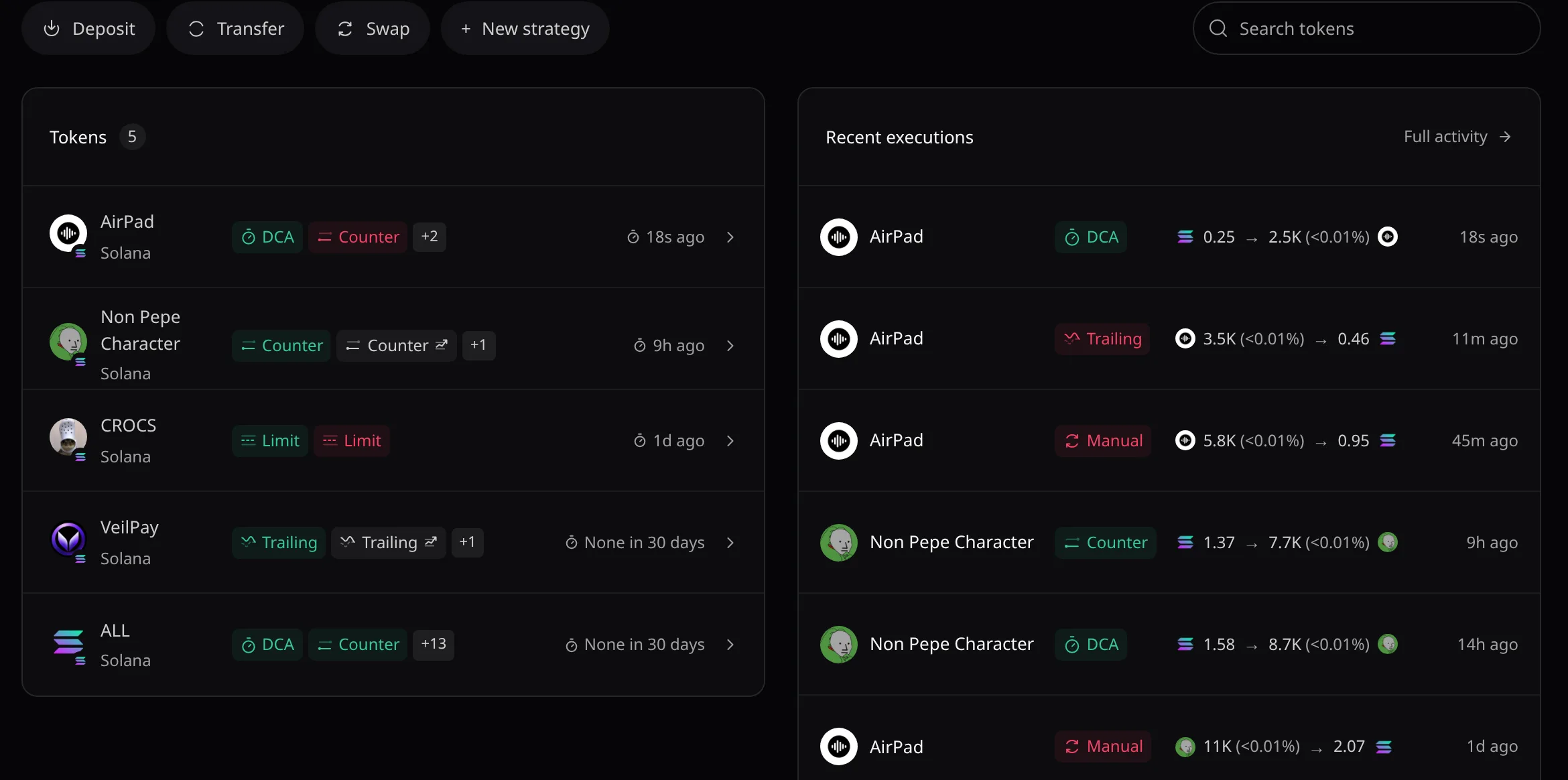
- Deposit, Transfer, Swap and New strategy open their windows.
- Tokens: click a row to open its token page.
- Recent executions: your six latest trades. Full activity opens Activity.
Needs attention
When something blocks a strategy, a card lists up to four issues. Review all N issues opens Tokens.