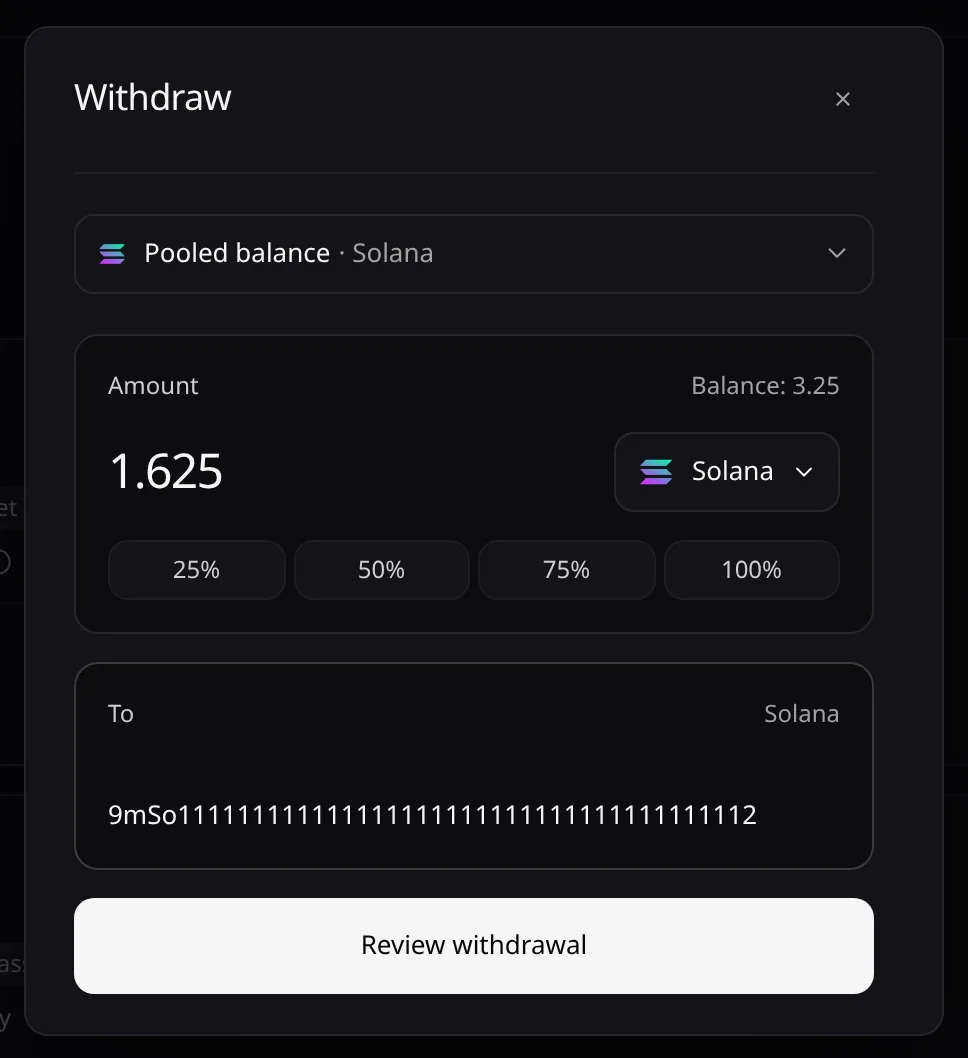
Withdraw
Send funds from your pooled balance to an address outside Pace.
Open Portfolio and choose Withdraw on a Pooled · {Chain} card. You need a key with Can withdraw or Admin.
Set the amount
Pick the token with the chip beside the amount, then enter the Amount or choose 25% to 100%.
Paste the destination
Paste the To address. It must be on your Destinations allow-list.
Private withdrawal (Husher)
Tick Private withdrawal (Husher) so that no Pace address sends to your destination. The form shows what the Destination receives and the Husher fee. Live mode only, for tokens Husher can carry from that chain.
- Pooled balance Pays the Husher order.
-
 Husher Receives the payment.
- Your destination Paid by Husher.
The order must be paid within 15 minutes. If it expires, is cancelled or fails before payment, the amount stays in your pooled balance. If it reads Paid, not delivered, keep the order id: the platform is recovering it.
Review and confirm
Choose Review withdrawal, check the summary, then Confirm withdrawal. Email and passkey sign-ins are asked to confirm. The receipt reads Withdrawal requested: funds move once it is approved.
Error messages are listed in Troubleshooting.