Advanced Settings
Conditions, per-card limits, the options of an action and how the wallets place orders.
Everything here is optional. In the editor, each card carries its own conditions, action options and limits.
Conditions
- A card trades When or While all its conditions hold. Add more with Add another condition: Price, Market cap, RSI, Buyers vs sellers, Volume, Trades.
- A Market cap condition takes the place of a minimum and maximum range. Outside it, the card waits.
- The card of a strategy on the Strategies page still edits its Mcap Minimum and Maximum,
0and+∞meaning no limit.
End conditions
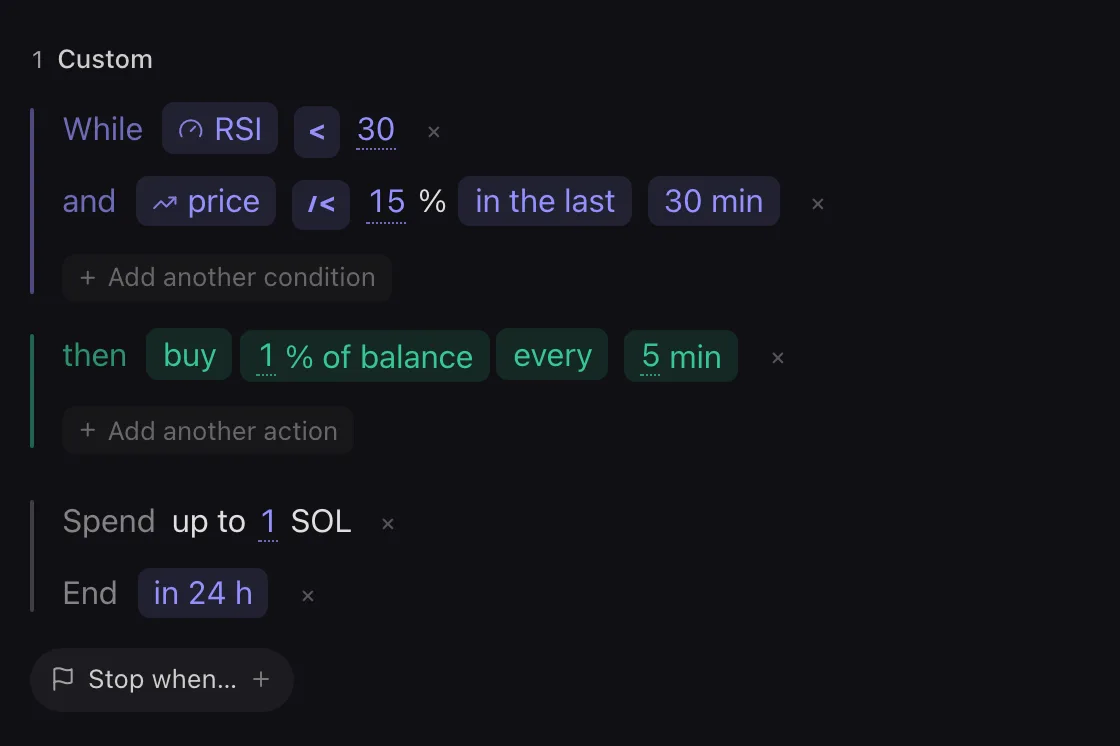
- Budget (Spend up to) caps what this card trades in all. It does not reserve funds.
- End date stops the card after a delay, such as in 24 h. Stop when… stops it when a condition is met.
- The card says Scheduled to start before its start and Expiry reached after its end.
- With several cards, an All strategies bar above them holds Start, Stop, Spend limit and Only while… for the whole strategy.
Options of an action
Hover the then line and open its options menu. Size when… makes the size bigger or smaller while the market says so. Size by a curve makes it follow an indicator. Random amount draws a size between two amounts. Stop after a while ends a DCA by itself, and Random timing lets its pace drift around its period. Resell after… sells back what a buy bought, after a delay.
Wallet use
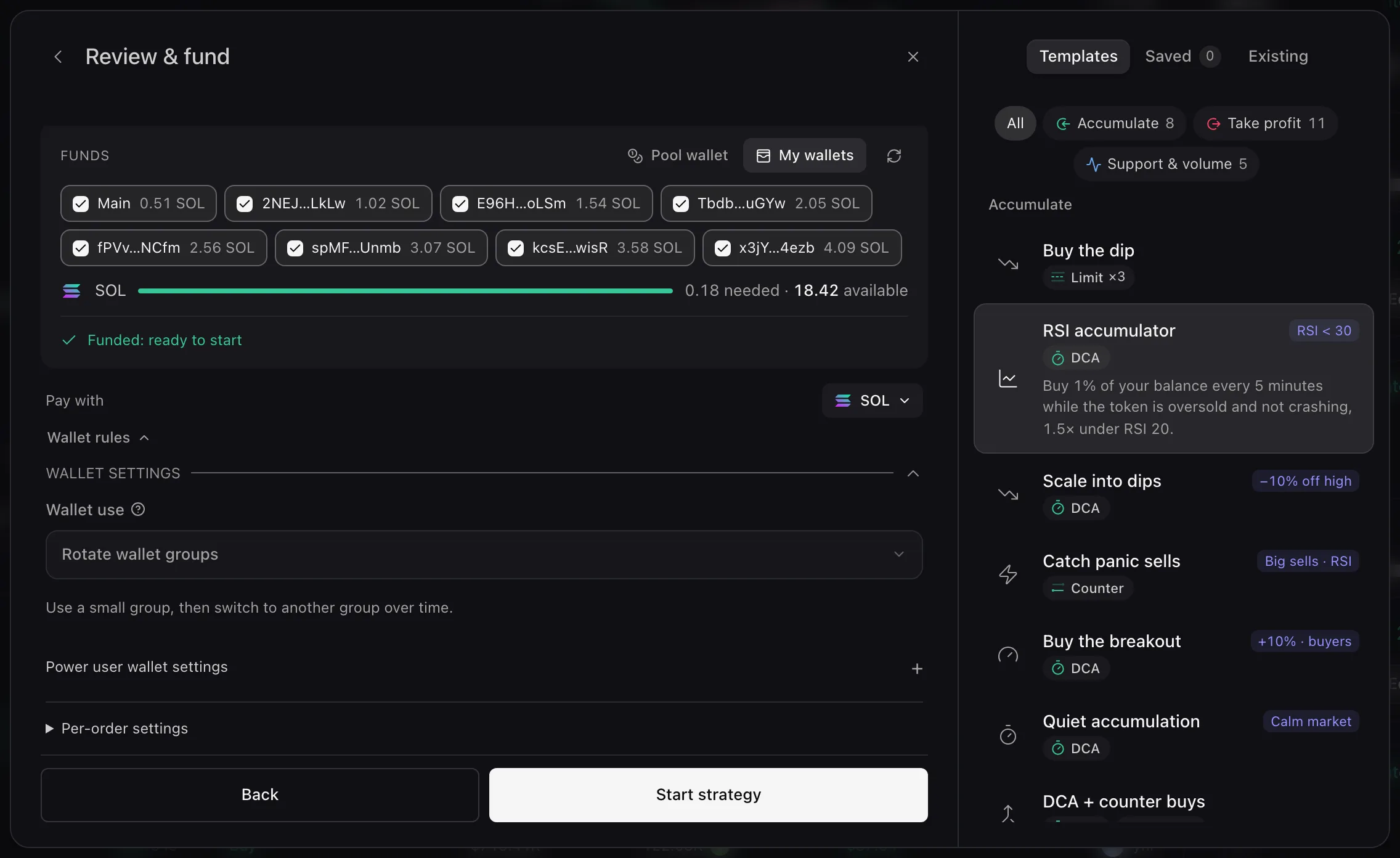
- When you fund from My wallets in Review & fund, Wallet settings sets how the selected wallets place orders.
- Wallet use: Use default wallet mode, Use every selected wallet, Use one wallet at a time or Rotate wallet groups.
- Per-order settings gives one order its own wallet use.
Power user wallet settings
Once a mode is chosen, Power user wallet settings tunes it; an empty field keeps the mode’s default, shown in grey. Choose wallets by takes Session wallet list, Largest balance first or Repeatable shuffle. When wallets are unavailable, Use available wallets only places what the group can cover, and Expand to more wallets tries more wallets to reach the target. Groups to skip after use is how many later groups a wallet sits out after an order.
Error messages are listed in Troubleshooting.