Create a Strategy
Pick a token, build the strategy as When → Then cards or start from a template, read the 24 h backtest, then fund it and start.
Choose + New strategy in the sidebar, on the Dashboard or on the Strategies page, or the New strategy card of a coin. You need a key that Can trade.
Choose the token
Type a name, a symbol or a contract address, or pick one of Your tokens. Its Token Page opens with the editor on top: one tab for each strategy you already run, then your new Strategy 1.
Build the cards
A strategy is a stack of cards, and each card reads as a sentence: When the market does something, then buy or sell. Start from New strategy or a template, and click any part of the sentence to change it.
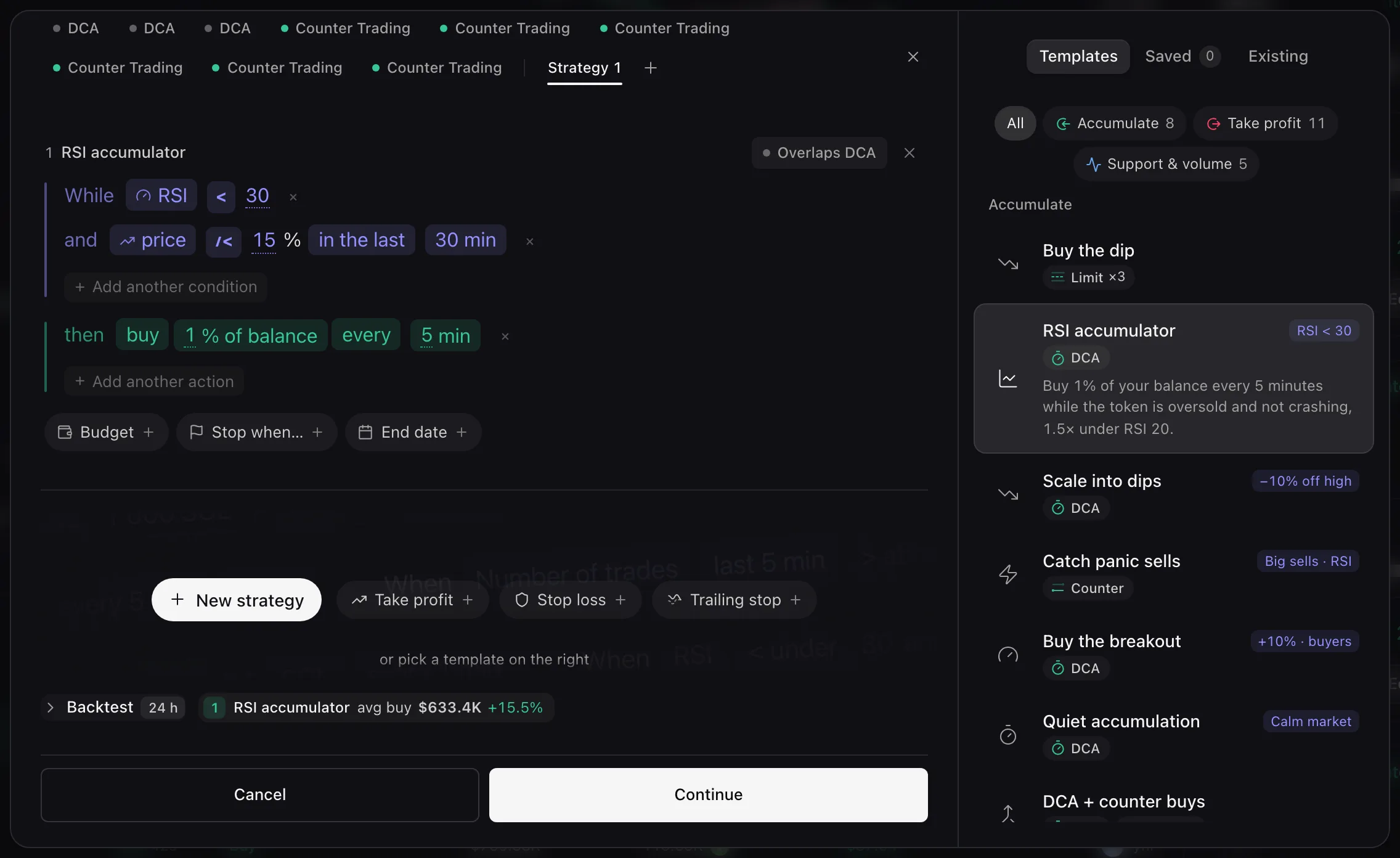
A card from a template, with the template library on the right What a card can say
Conditions (When or While): Price, Market cap (several levels make a ladder), RSI, Buyers vs sellers, Volume and Trades.
Actions (then): buy or sell, a size in the quote asset, in the token, in USD, as % of balance or as % of bag, and once, each time or every N minutes.
Limits, per card: Budget, Stop when… and End date. See Advanced Settings.
Read the backtest
Backtest 24 h replays each card on the token’s last 24 hours, with the amount set beside it. Its headline depends on the card: the average price of a DCA, the levels a limit or ladder reached, the amount a Counter bought or sold.
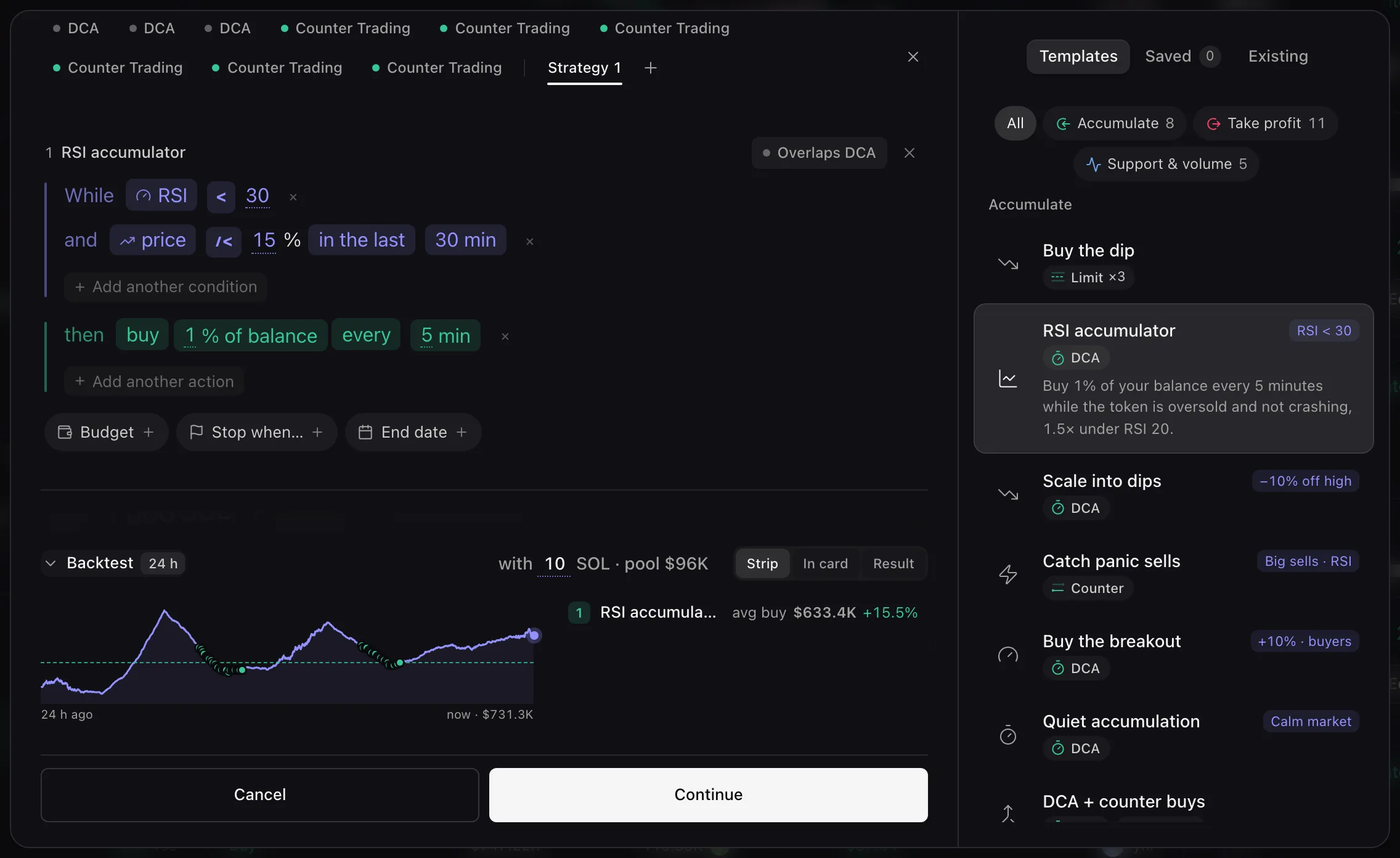
A replay, not a promise: it does not predict what the strategy will do Review and fund
Choose Continue. Review & fund tells the strategy in sentences, then pays from the Pool wallet, your credited Pace balance, or from My wallets. A bar compares what is needed with what is available, and the verdict reads Funded: ready to start, or how much is short, with Deposit.
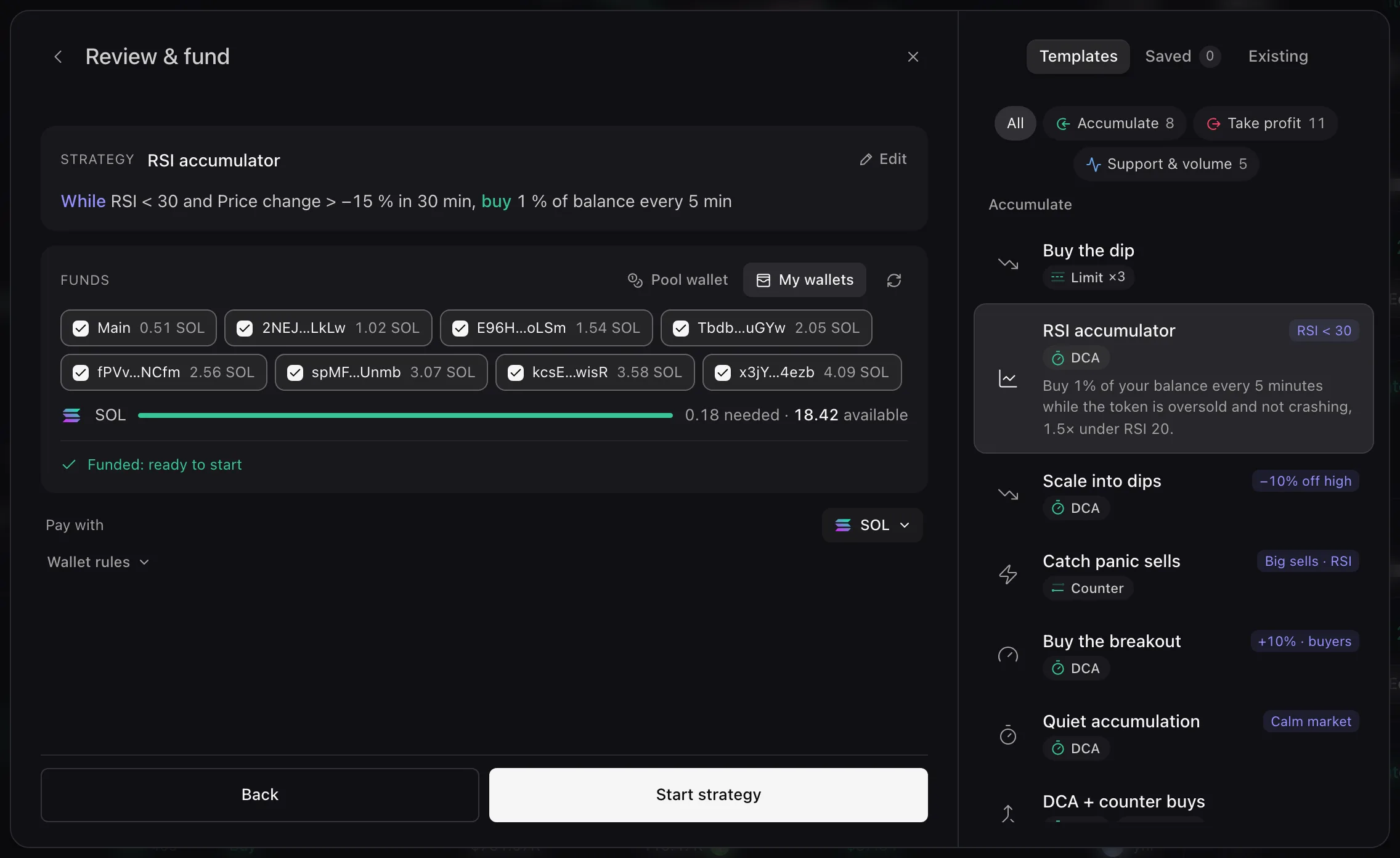
Paying from My wallets Pay with, Receive in and Wallet rules
The Pool wallet is unavailable when your Pace balance holds too little of the token to sell, and for a delayed resale: use My wallets. Pay with (or Receive in for a sell) picks the quote asset. With My wallets, Wallet rules sets how the wallets share the orders (see Wallet use).
Start
Choose Start strategy. It is Active at once and gets its own tab in the editor.
Error messages are listed in Troubleshooting.