Statuses
What each status means for strategies, rules, trades, wallets, deposits, Husher orders and keys, and where it shows.
Every status the console shows, by object. The API calls a strategy a session and a trade an intent.
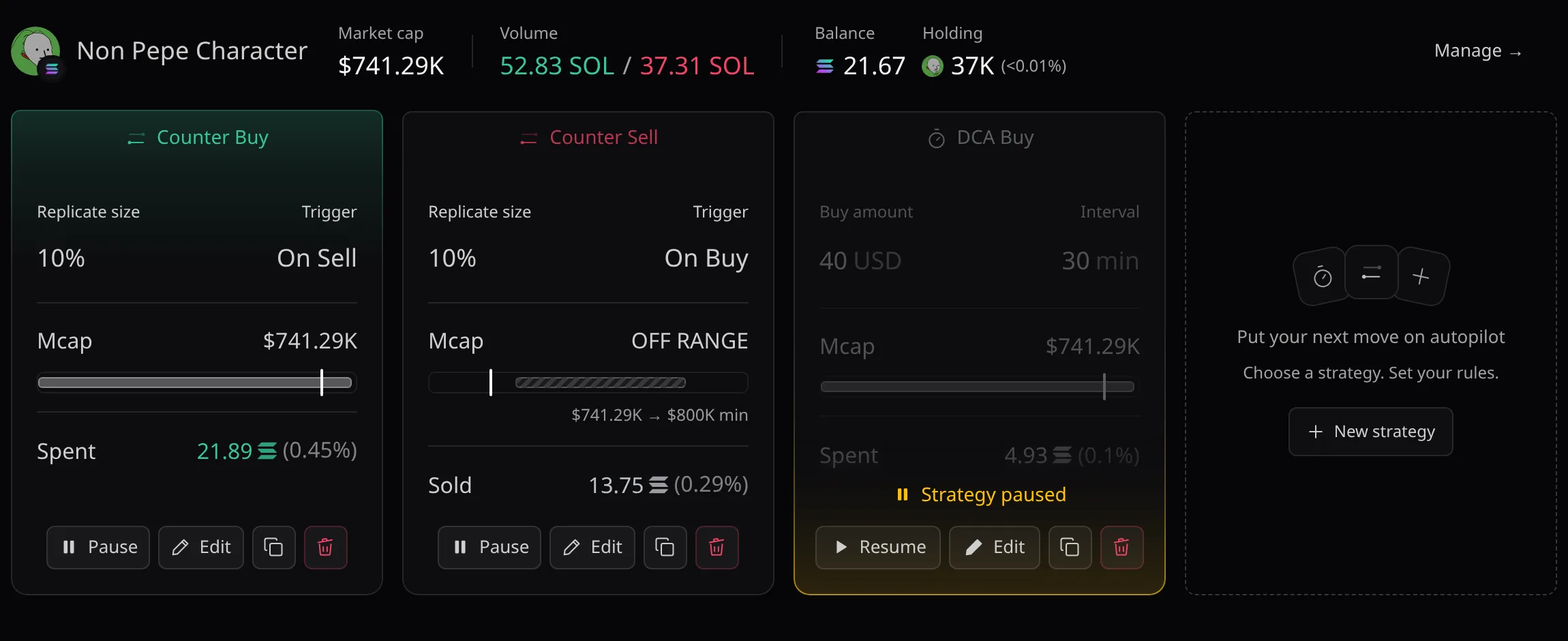
Strategy
| Status | Meaning |
|---|---|
| Active | Running. Its rules can fire. |
| Paused | No new trades until you resume it. |
| Stopping | Stopped. Trades in flight can still finish. |
| Ended | Finished for good, with a reason. It can no longer change. |
Rule
A rule is one Counter, DCA, Limit or Trailing block of a strategy.
| Status | Meaning |
|---|---|
| Active | Watching its trigger. |
| Scheduled | Waits for its start. |
| Waiting for condition | Waits for its While condition, or another order of its group fired. |
| Paused | Paused on its own. |
| Done | Ended because its Stop when… condition held. |
| Stopped | Finished, with a reason such as Cancelled. |
Where statuses show
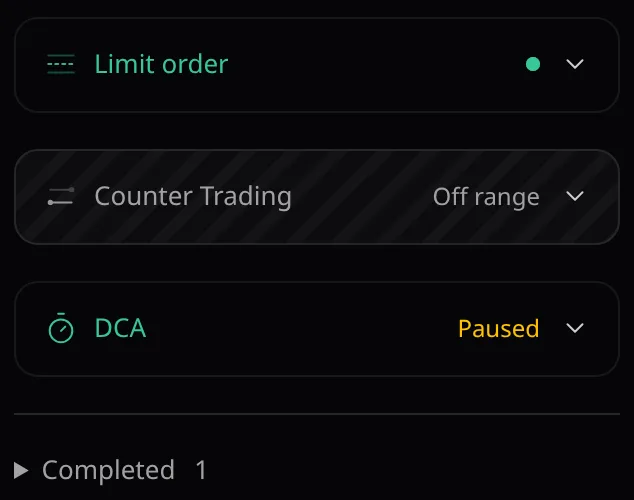
A collapsed strategy shows a green dot while it runs normally, otherwise a word. Hover the dot, or a card’s figures, to read what it is doing.
Words on a collapsed strategy
| Shown | When |
|---|---|
| Paused | The strategy, or each of its rules, is paused. |
| Needs attention | Trades await confirmation, pool data is stale, a wallet is not ready, or a rule reports an error. |
| Stopping | The strategy is stopping. |
| Off range | The market cap is outside every running rule’s range. |
| Range unavailable | A ranged rule has no market cap, or pool data is stale. |
| Scheduled | Every running rule waits for its start time. |
| Expiry reached | A rule’s expiry date has passed. |
| State unavailable | Pace returned no execution state. |
| Completed | Ended, or all rules done. Listed under Completed. |
The Dashboard counts running strategies as Buy or Sell, then Paused and Off range, and the rest as N stopping / unavailable. Completed ones are left out.
What a strategy says on hover
| Text | Meaning |
|---|---|
| Watching buys / Watching sells | A Counter order waits for outside trades. |
| Waiting for next cycle | A DCA waits for its next order. |
| Waiting to track / Tracking movement | A Trailing order before and after it follows the market cap. Its card reads Waiting to track market movement until then. |
| Waiting for price crossing | A Limit order waits for its market cap. |
| Waiting for a bound | A range waits between its buy and sell bounds (collapsed dot). |
| Outside range | The market cap is outside the Mcap range. The card reads OFF RANGE. |
| Range data unavailable | Market data is missing or stale. |
| Scheduled to start / Expiry reached | Before Start, or after Stop. |
| Paused / Stopped · {reason} | Paused, or finished with its reason. |
Trade
Open a trade from a token page’s trade list: its header shows one badge for the trade and one per leg.
| Status | Meaning |
|---|---|
reserved | Planned, funds set aside. Activity says Queued. |
| Sent | Submitted to the network. |
| Settled | Confirmed. |
| Failed | Did not complete. |
| Unknown | Not confirmed yet. Activity says Confirmation pending. |
Activity’s chips are listed in Activity Events.
Wallet readiness
Each wallet is checked when a strategy starts.
| Verdict | Meaning |
|---|---|
| Ready | The wallet can trade. |
| Low gas | Not enough native coin for fees. |
| No token | None of the token to sell. |
| No quote | None of the quote asset to buy with. |
Wallets not ready are counted in Strategy started · N wallets not ready and under the Dashboard’s Needs attention.
Deposits and Husher
Deposit tokens
Under the pooled address, each token that arrived shows what the pool decided.
| Status | Meaning |
|---|---|
| Credited | Added to your pooled balance. |
| Not credited | Refused, with the reasons. |
| Checking | Pace is still checking the token. |
| Too small to credit | Worth less than its move to the pool. Pay the move credits it from your pooled balance. |
| Waiting for SOL | Deposit a little native coin: it settles the fees owed first. |
| Queued | Moves later: this address swept as often as an hour allows. |
Refusal reasons
| Issuer controls | Transfer rules | Token type |
|---|---|---|
| its issuer can freeze it | it charges a transfer fee | its balances are hidden |
| a delegate can move it | it taxes transfers (with its rate, such as 300bps) | its balances rebase |
| its transfers can be paused | a program decides its transfers | it carries an unknown extension |
| it keeps a blacklist | it cannot be transferred | its transfer could not be measured |
| its contract is upgradeable | new accounts open frozen | its contract is not a plain token |
Husher orders
A private deposit or withdrawal follows its Husher order. Most statuses are shared; the deposit and withdrawal wording differs where noted.
| Status | Meaning |
|---|---|
| Waiting for your payment | Deposit: send exactly the amount shown to the Pay to address, from any wallet. |
| Paying Husher | Withdrawal: the pooled balance pays the order once the withdrawal is approved. |
| Payment seen | Husher is confirming the payment. |
| Delivering | Husher is paying your deposit address, or your destination. |
| Delivered, crediting | Deposit: Husher paid your deposit address. It is credited once swept. |
| Credited / Delivered | Done. The card reads Deposit complete or Withdrawal delivered. |
| Expired unpaid | Deposit: never send to its address, a late payment stays at Husher. Withdrawal: the amount stays in your pooled balance. |
| Cancelled | The payment never left. |
| Failed | Husher failed the order before any payment. Nothing moved. |
| Paid, not delivered | Husher holds the payment and the platform is recovering it. Keep the order id. |
| Recovered / Closed | The platform resolved the order. |
A withdrawal order must be paid within 15 minutes. Husher publishes no lifetime for a deposit order: pay it soon.
Keys, webhooks and destinations
API keys, webhooks and destinations show Active ; revoked keys and destinations show Revoked . Destinations add the date.