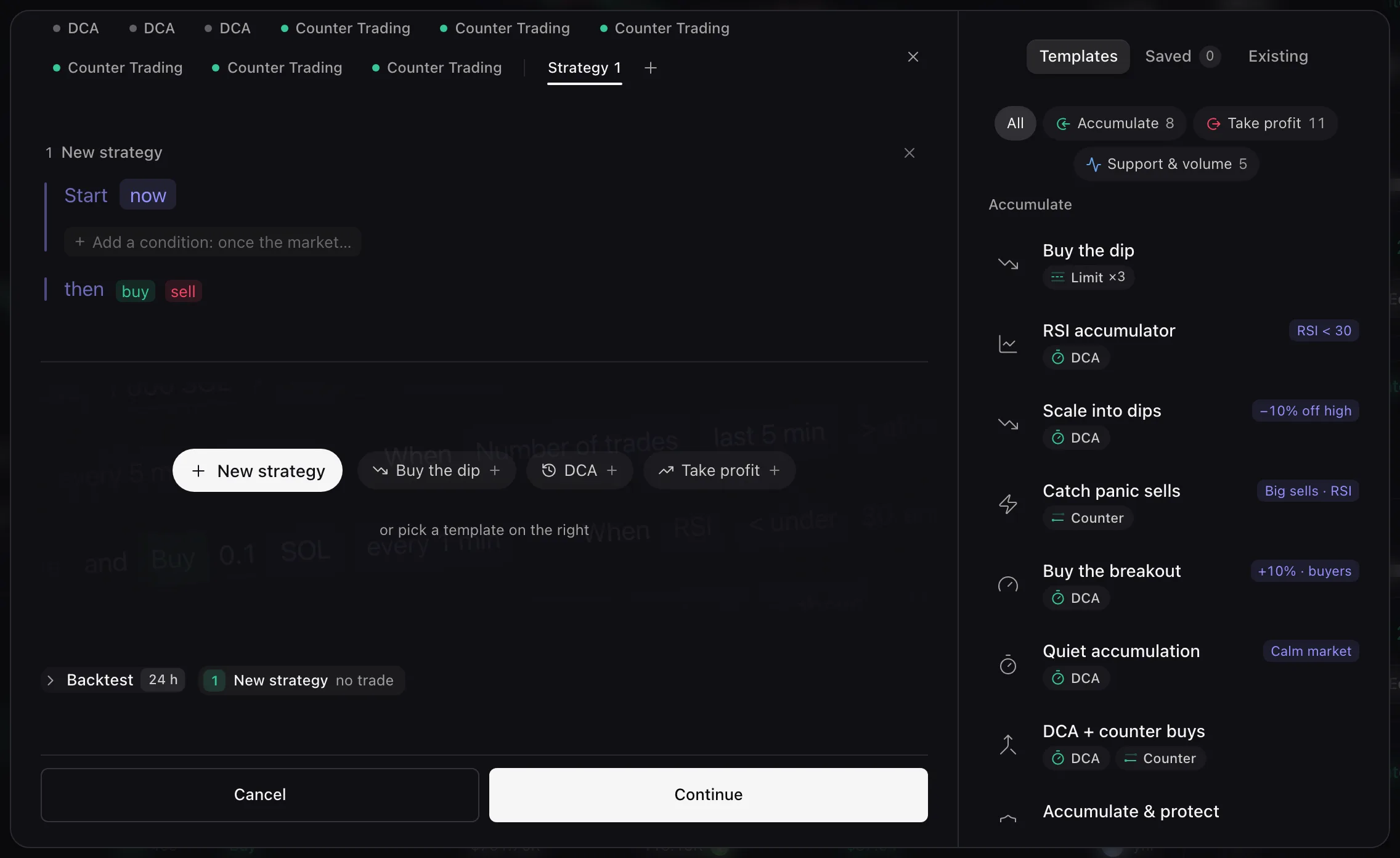
Templates
Start from one of the 24 templates of the library, or copy what you run on another token, then edit the cards and start.
Open the editor on a token: the library on its right lists the templates. A template fills the editor with ready-made cards from the market cap now. You need a key that Can trade.
Pick a template
On the Templates tab, filter by Accumulate, Take profit or Support & volume, then click a template.
All the templates
Accumulate: Buy the dip, RSI accumulator, Scale into dips, Catch panic sells, Buy the breakout, Quiet accumulation, DCA + counter buys, Accumulate & protect.
Take profit: Ladder out, Sale at the top, Discreet sale, Sell the pump, Sell to new wallets, Scale out on strength, Ladder + trailing stop, Target & stop, Trailing stop, Crash guard, Exit when buyers leave.
Support & volume: Range, On-chain activity, Smart support, Defend the floor, Flow market making.
Adjust the cards
Every part of every card stays editable, and the Backtest replays them at once. A template replaces cards that are still its own; if you changed one, the new cards are added beside yours. A card keeps its template’s name while you change only figures; add a condition or a limit and it becomes Custom, unless you renamed it.
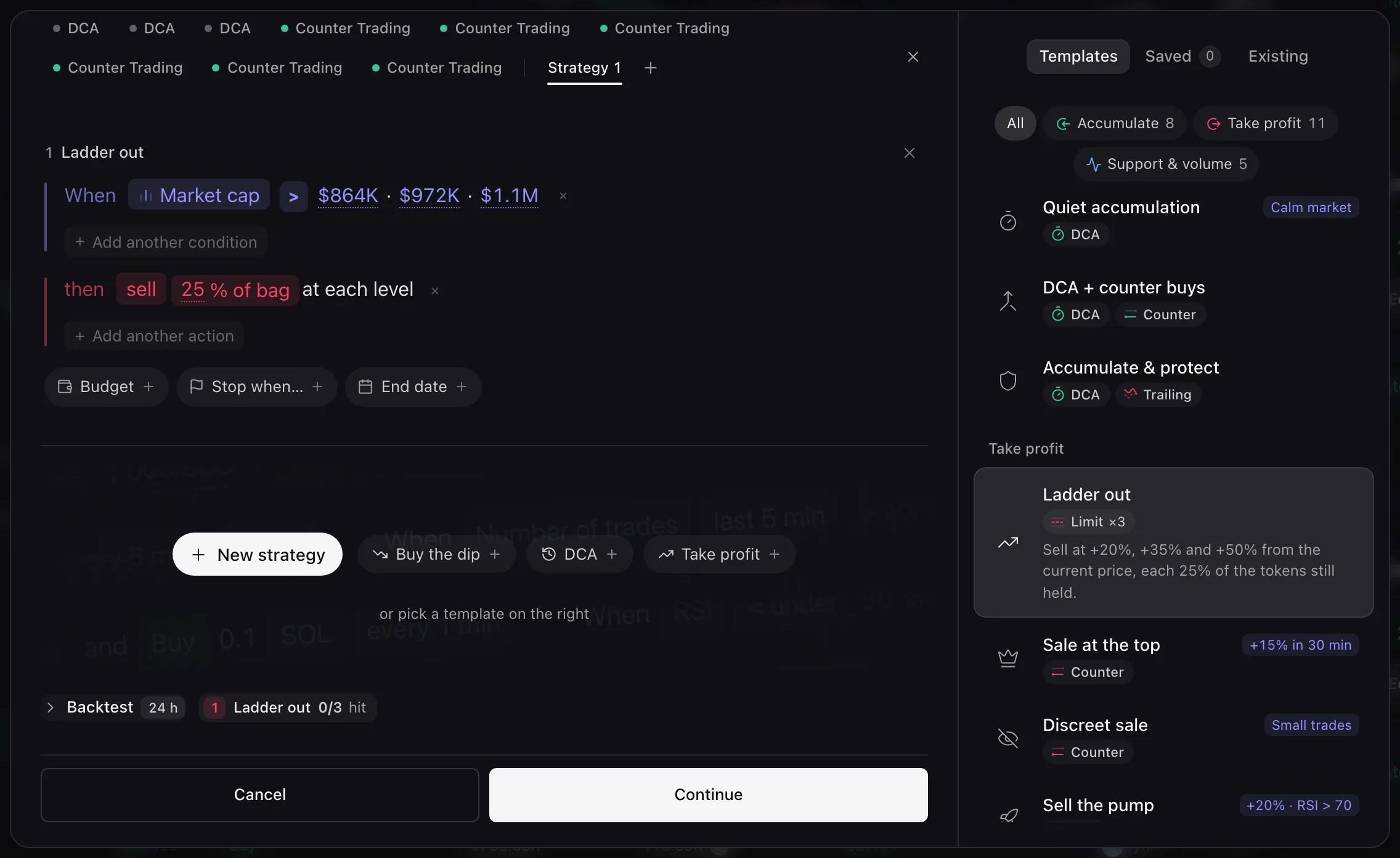
Ladder out: one card that sells 25% of the bag at each level Review and start
Choose Continue, then the funds and Start strategy, as when you create a strategy.
Copy what you run elsewhere
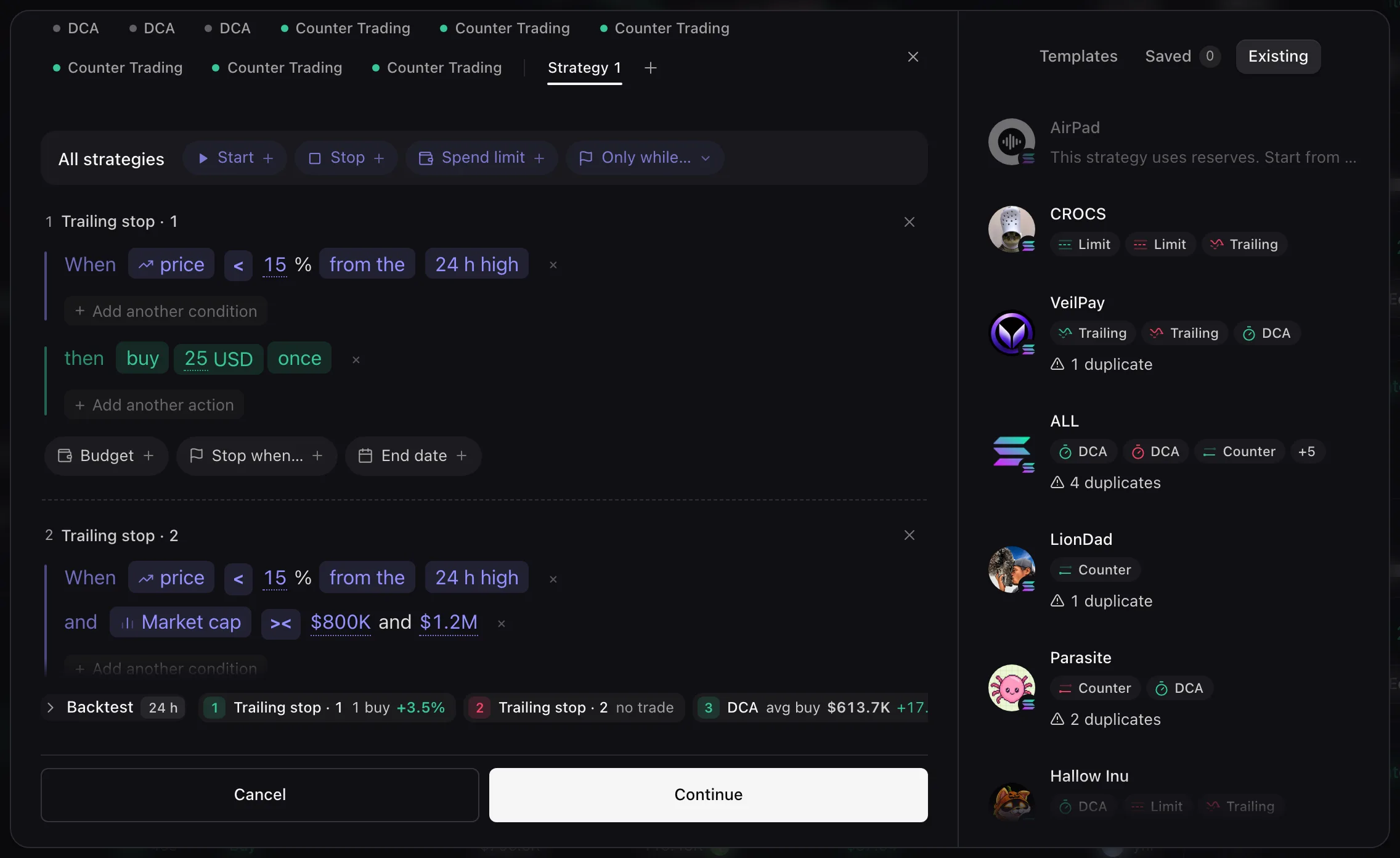
- Open the Existing tab and click a coin: its strategies come back as cards on this token, ready to edit.
- A warning such as 1 duplicate flags strategies that match ones already running here.
Error messages are listed in Troubleshooting.