API Keys
Create, copy and revoke the keys that can call the Pace API.
Open Settings → API keys. A View only key sees the list, but not Create key or Revoke.
Name the key
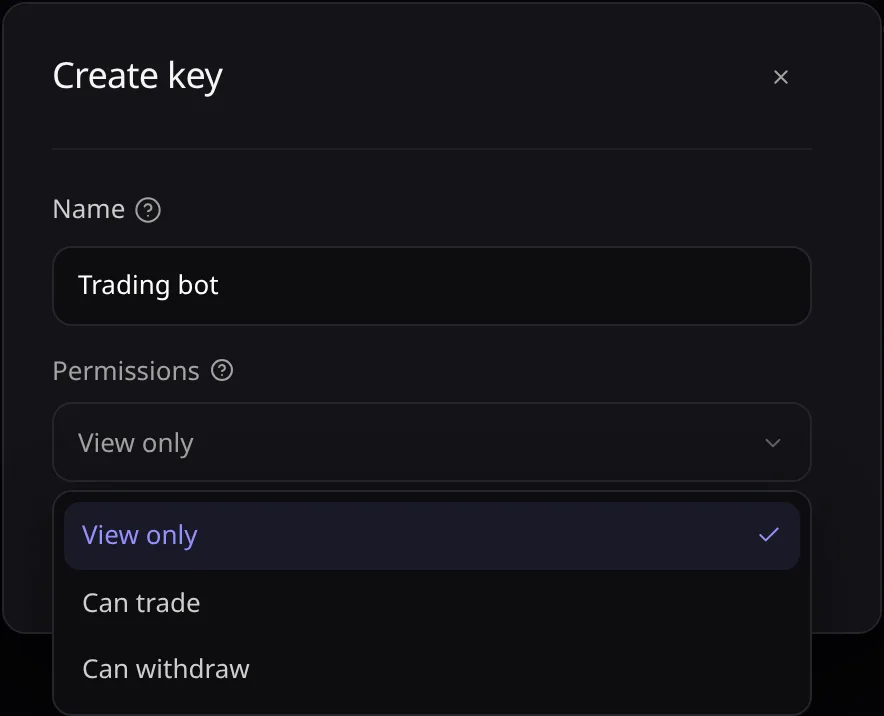
Choose Create key and enter a Name that tells you which tool or person uses it.
Pick its permissions
View only can read, Can trade starts strategies, Can withdraw can also send funds. What each one unlocks is in Sign In & Access.
Who can create and revoke keys
Workspace You need Permissions offered Account Can trade, Can withdraw or Admin View only, Can trade, Can withdraw Organization Manage or Admin View only, Manage Copy the secret
Choose Create key. In Copy your key, choose Copy, store the secret, then choose Done.
Revoke a key
Choose Revoke on an active key, then confirm. It stops working immediately and moves under Revoked.
Error messages are listed in Troubleshooting.