Limit Order
Buy or sell once when the market cap reaches a level, with one or several levels.
A Limit card trades once at a Market cap level, or at each level when it has several. You need a key that Can trade.
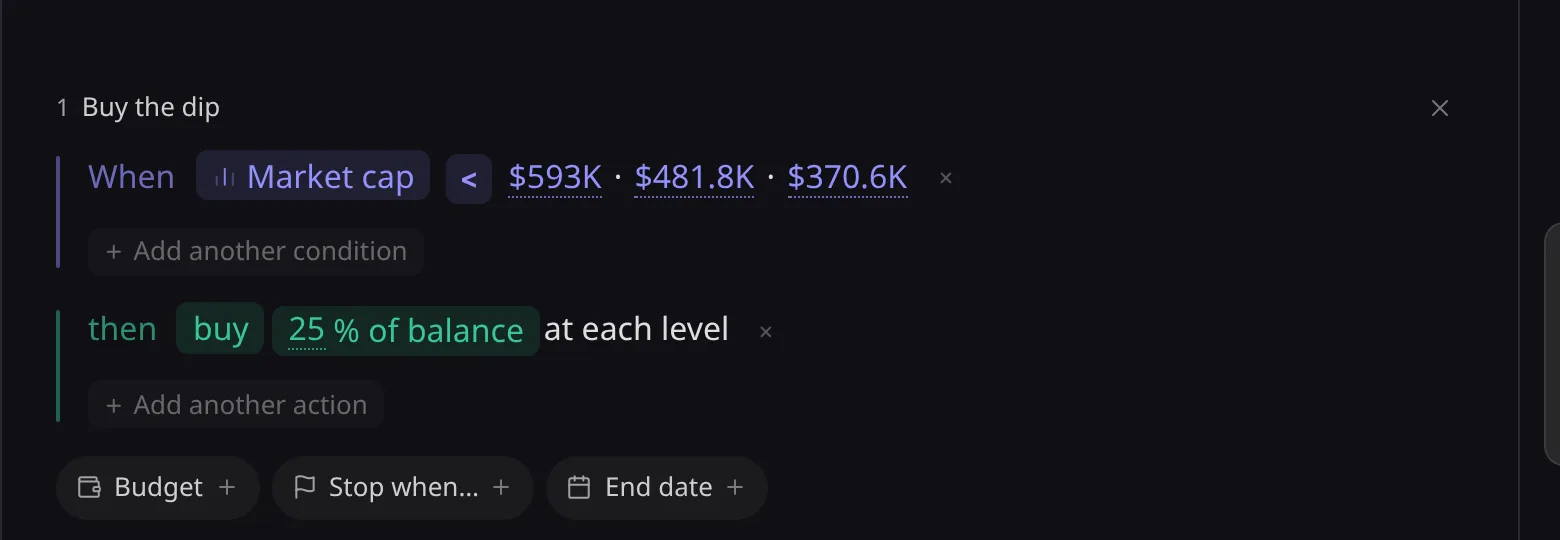
 Buy Buy once when market cap reaches your target.
- Market cap
- Fixed target
Your target is reached and triggers your buy.
 Sell Sell once when market cap reaches your target.
- Market cap
- Fixed target
Your target is reached and triggers your sell.
Write it
- Add a Market cap condition with one or several levels, above or below the market cap now. A sell above takes profit; a sell below acts as a stop.
- Several levels in one condition make a ladder; the action then trades at each level.
- The templates Ladder out, Buy the dip and Target & stop are Limits. See Templates.
Limits are per card: see Advanced Settings.